-
Download the files from https://tryhackme.com/room/0x41haz
-
Running the file command and the checksec command with the following options, it’s clear that the file is a binary ELF file, but not being detected as one.
$ file 0x41haz-1640335532346.0x41haz
0x41haz-1640335532346.0x41haz: ELF 64-bit MSB *unknown arch 0x3e00* (SYSV)
$ checksec --file=0x41haz-1640335532346.0x41haz
RELRO STACK CANARY NX PIE RPATH RUNPATH Symbols FORTIFY Fortified Fortifiable FILE
No RELRO No canary found NX disabled Not an ELF file N/A N/A No Symbols N/A 0 0 0x41haz-1640335532346.0x41haz-
Let’s try to check the magic numbers. Wikipedia says that they should be
7f 45 4c 46.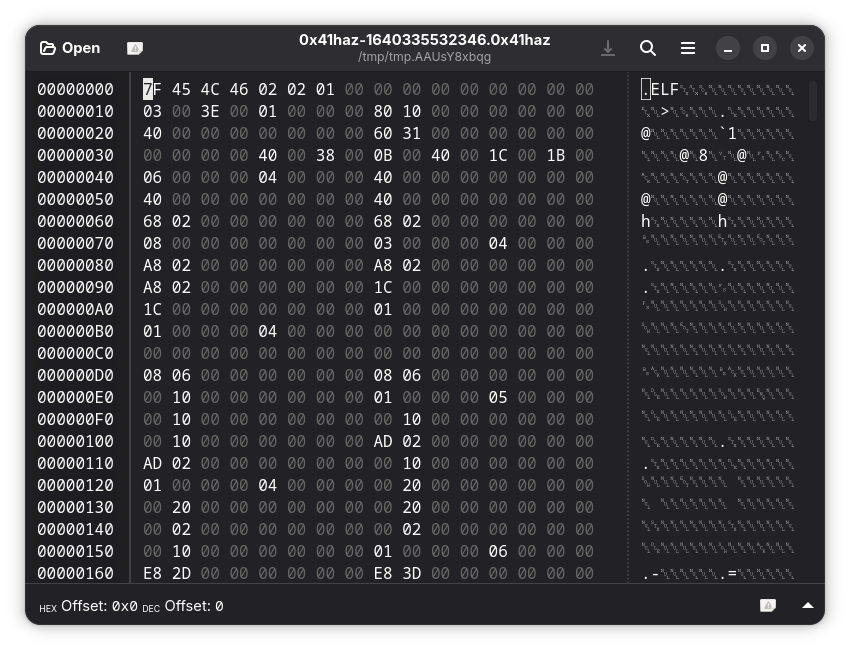 Do they match? Yes they do.
 -
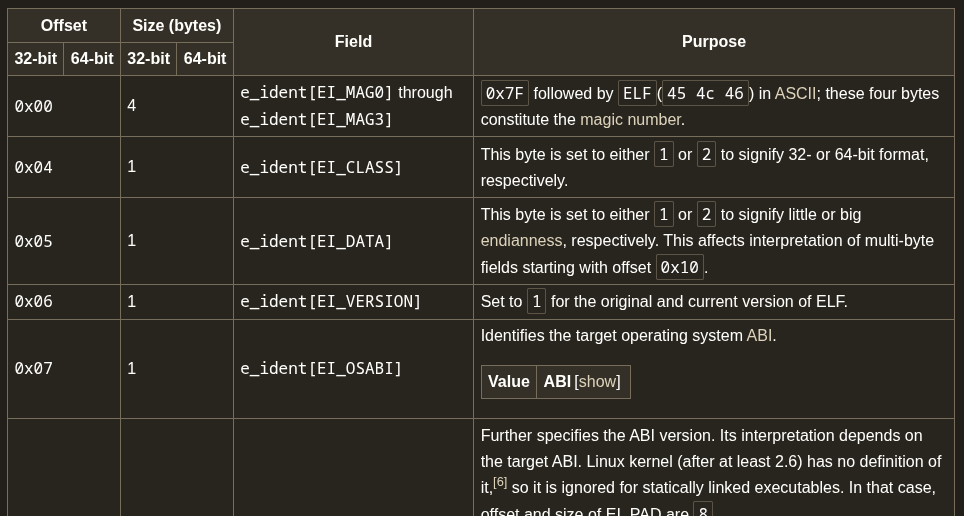
Something’s off. The magic number matches but the file isn’t recognized as a binary file. Why is that? Is there something else in the header causing the commands to behave that way?
https://en.wikipedia.org/wiki/Executable_and_Linkable_Format#ELF_header
-
It seems that the
0x06th byte should be set to 1 as to refer to the original and current version of ELF. But here it’s set to02. Let’s change that. -
Alright, the file and checksec commands give us a more likable output.
$ file 0x41haz-1640335532346.0x41haz
0x41haz-1640335532346.0x41haz: ELF 64-bit LSB pie executable, x86-64, version 1 (SYSV), dynamically linked, interpreter /lib64/ld-linux-x86-64.so.2, BuildID[sha1]=6c9f2e85b64d4f12b91136ffb8e4c038f1dc6dcd, for GNU/Linux 3.2.0, stripped
$ checksec --file=0x41haz-1640335532346.0x41haz
RELRO STACK CANARY NX PIE RPATH RUNPATH Symbols FORTIFY Fortified Fortifiable FILE
Partial RELRO No canary found NX enabled PIE enabled No RPATH No RUNPATH No Symbols No 0 1 0x41haz-1640335532346.0x41haz- Let’s open ghidra and analyze the file a bit.
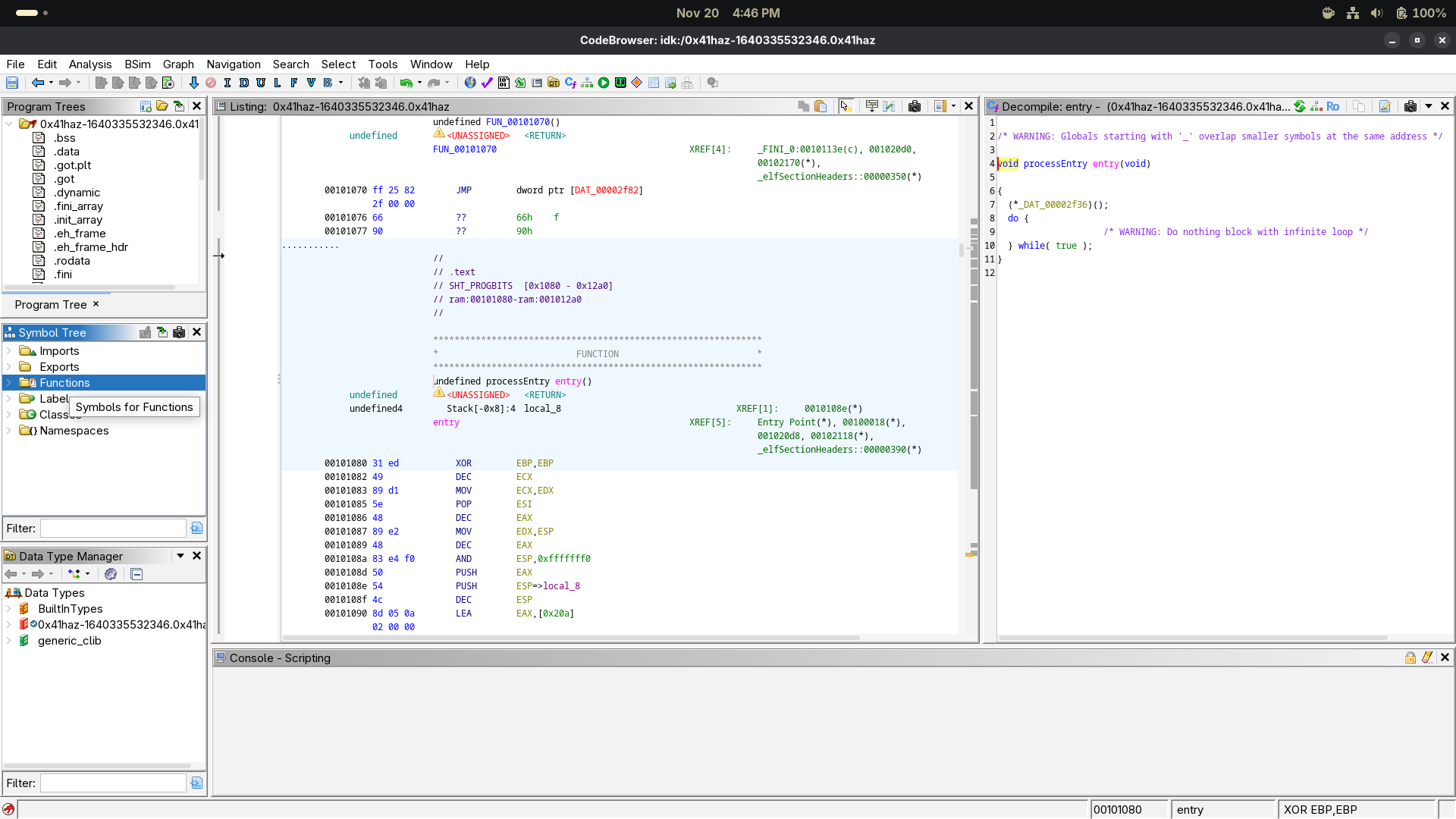
- Going through each function in the memory, we can see that the
FUN_00101165is the one that we need to focus on.
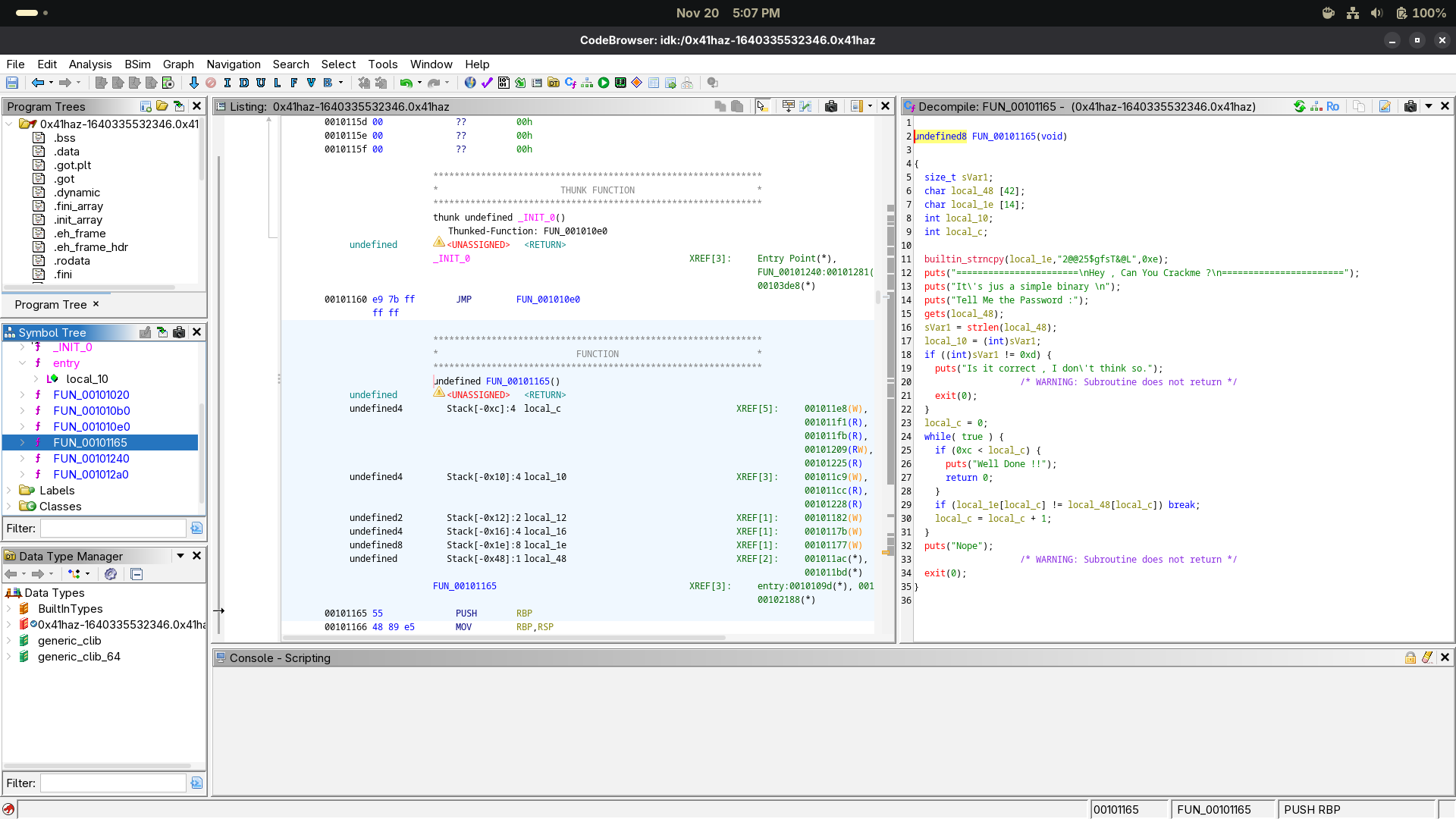
- The
strcpyfunction lookalike has the guy we need.
Now the interesting part is over, and we have solved the CTF. But for the sake of learning something new, we will try and go through the corresponding assembly code.
builtin_strncpy(local_1e,"2@@25$gfsT&@L",0xe);
We can infer from the above program that:
strcpyis being usedlocal_1eis a character array of size 14"2@@25$gfsT&@L"is the string that’s being copied into thelocal_1ebuffer
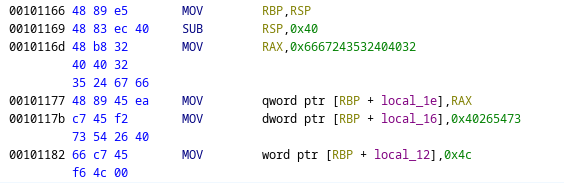
Now here’s what we get when we hover over 0x6667243532404032, we get the following:
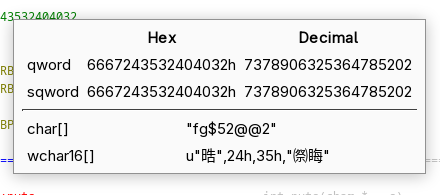
From this we can infer that
- We are dealing with little endian encoding- meaning that the most significant bit is at the beginning of the hex value. This means that the string is reversed.
- The string is split when it exceeds 8 bytes or 16 bits. The splits are 16 bytes and the remaining 4 bytes.
- The bytes represent ASCII values of each character of the string in hexadecimal.
Thus the instruction translates:
- Write a QWORD (8 bytes) into the memory at address
RBP + local_1eusing the full 64-bit value inside RAX. - Write a DWORD (4 bytes) into the memory at
RBP + local_16using the full 32-bit value of0x40265473
Q: There was no need to put the first 8 byte value into RAX instead it could have been written. A: You can’t copy a 8 byte value directly into memory. You’ll need to write 4 bytes two times.