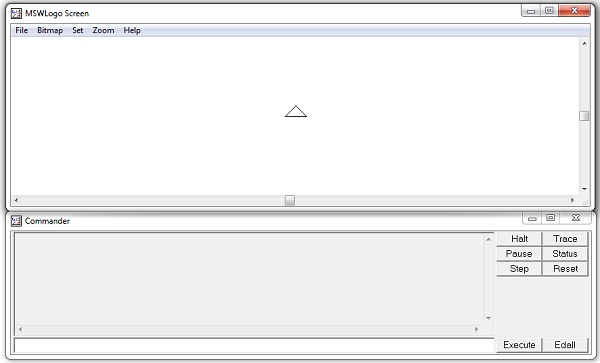
One of my first experiences with programming was when I was in third grade, sitting in front of an old desktop, in my school’s computer lab. The white triangle on the screen moved around when I typed in simple commands, leaving trails. Even with this simplicity, one would be able to draw complex shapes and beautiful patterns. As a tribute to that little guy who was initially scared of computers but then learned to love them, I’ll be implementing a subset of Microsoft Logo.
It is also high time I put aside my hate for modern web development and start building some stuff that is actually cool. My days of scraping exam portals for answers and hacking HTML5 games with JavaScript are behind me (hopefully), and I will now move on to more interesting and type-safe programming languages and actually start building things.
The goal of this project is to:
- Experiment with Typescript
- Do some actual object-oriented programming
- Mess around with HTML5 Canvas
- Write a minimal, yet flexible tokenizer and parser without external PEG libraries.
We choose to go to the moon in this decade and do the other things, not because they are easy, but because they are hard!
TL;DR
Implemented a tokenizer and a parser. Source for both of these components:
- https://github.com/syswraith/logo/blob/main/src/components/Tokenizer.ts
- https://github.com/syswraith/logo/blob/main/src/components/Parser.ts
Tokenizer
For those of you not familiar with the term, a tokenizer is a vital part of the compiler. Like the name suggests, a tokenizer analyzes each part of the program and converts it into a token.
This will be better suited with an example. Say you have the following code in Python:
print('Hello world!', end='\t')The tokenizer will break this line of code into the following parts:
print
(
'Hello world!'
,
end
=
'\t'
)
By doing this, the tokenizer is converting the code into smaller bits of code, that can be checked sequentially for syntactical errors. A good example of this is when a tokenizer encounters an opening token i.e. ( or ' it has to see a ' or ), or else you can expect an error.
The tokenizer for logo was very simple to implement- just split by spaces, mostly. I went on and added split by \n and check for empty elements in the array. I won’t go into the very gory details of the code but here’s what’s happening in short:
- Declare a buffer that will hold the whole string regardless of whether it has newlines or spaces.
- Split by
\nand clear out the empty elements from the array. - Tokenize them into strings by splitting by spaces.
- Convert the strings into their right types-
FDis a string but the argument that follows it is10which is a number.
We will encapsulate all of these steps as different methods, inside of a class; so we can instantiate the Tokenizer object and have access to all of them easily.
Here’s the source code for the tokenizer.
Parser
A parser’s job is subsequently process tokens produced by the tokenizer and arrange them in a meaningful way, so that it becomes easy for the next tool to consume and work them. For me, this was where the Abstract Syntax Tree (AST) was created. Fancy tech term yes, but easily explained by an example.
A script like this:
FD 90
RT 90
SOMECMD 10 10
Should be converted to something like this:
[
 [ "FD" : [ 90 ] ],
 [ "RT" : [ 90 ] ],
 [ "SOMECMD" ] : [ 10, 10 ] ]
]
Why I settled on this format despite its torturous implementation is because if a command takes multiple numeric arguments, then I can simply specify that in my command definitions instead of having to manually check the next token to see if its a command or a value (or even worse, a REPEAT block).
{ command_name: "FD", arguments_number: 1, arguments_type: ["number"] },

{ command_name: "PU", arguments_number: 0, arguments_type: [] },

{ command_name: "SETPOS", arguments_number: Infinity, arguments_type: ["number", "number"] }
These are some of the command definitions. What was interesting to me is that Typescript natively supports Infinity, because if it didn’t I’d have to rework the whole parser to support SETPOS.
REPEATs and Nested REPEATs
One problem I've encountered while writing the LOGO parser is when implementing the REPEAT command. Constructing the AST is messy because you can call REPEAT inside another REPEAT. This means that I'll have to keep track of how deeply the REPEAT is nested. pic.twitter.com/iXYEH5H1jL
— syswraith (@syswraith) October 15, 2025
Now this becomes a pain to implement since it doesn’t fit the normal command description that I implemented above. I had to manually add an edge case that would check if the token is a REPEAT and if yes, then increment the depth counter. Not as simple as it sounds since there’s a ton of places where I had to check for and throw errors, and a recursive function call that almost gave me cancer while implementing. Below is how it works on the surface.
It has to keep track of
— syswraith (@syswraith) October 17, 2025
n : the number of times the block has to be repeated
'[' : increment depth count if it sees that
']' : decrement depth count if it sees that
'cmd n cmd2 n n': all the commands in the middle of those two brackets should be valid
The actual implementation has comments which go into much deeper detail. Check out the source for the parser if you want to understand how it works.
Part 2 is available here Implementing a Logo Interpreter 2.